Free tournament management · FIDE 2026 ready. Open the app →

Update or load the archive
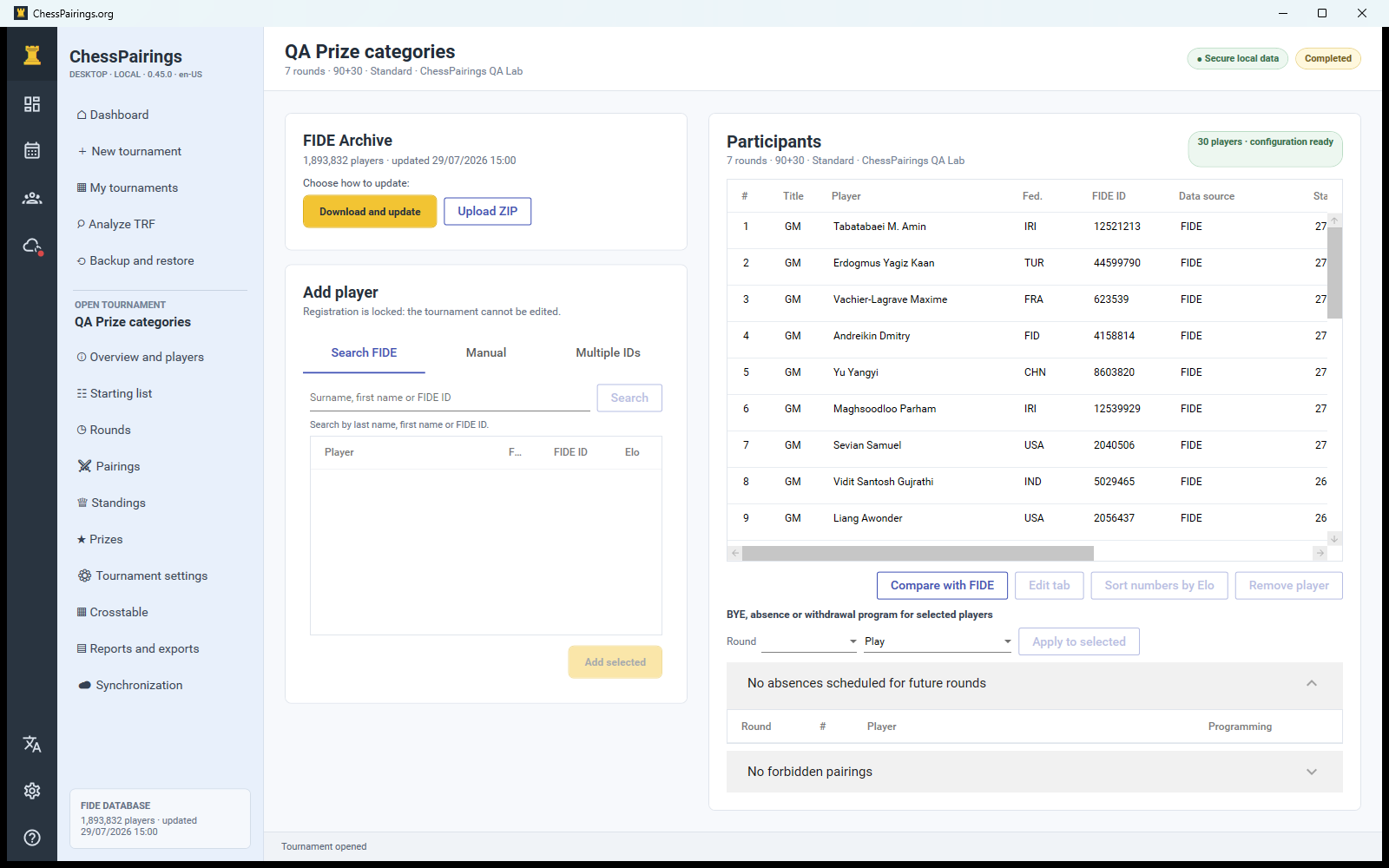
Use Download and update to retrieve the latest official FIDE ZIP, or Load ZIP if you already downloaded players_list_xml.zip. The app streams the large XML file into a separate local database. You do not need to extract it.
Search without losing alternatives
Search by surname, name or FIDE ID. All relevant matches appear in the result list so you can compare federation, ID and ratings before selecting one or more players. Select several results and add them together when appropriate.
Paste several FIDE IDs
Open the multiple-ID tab, paste one ID per line and run the lookup. The review step separates found, duplicate and unknown IDs before anything is added to the tournament.
Add a player without an ID
Use the manual tab for club players or local events. Enter at least the player name; federation, ratings, birth year and club remain optional. A local player can later be matched to a FIDE record without rewriting the original FIDE archive.
Edit a tournament player
Double-click a player in the participant table and edit the tournament copy. These changes affect seeding, reports and synchronization for this tournament only. The central FIDE database remains unchanged and can be used to compare or refresh selected fields later.