Free tournament management · FIDE 2026 ready. Open the app →

Read the dashboard
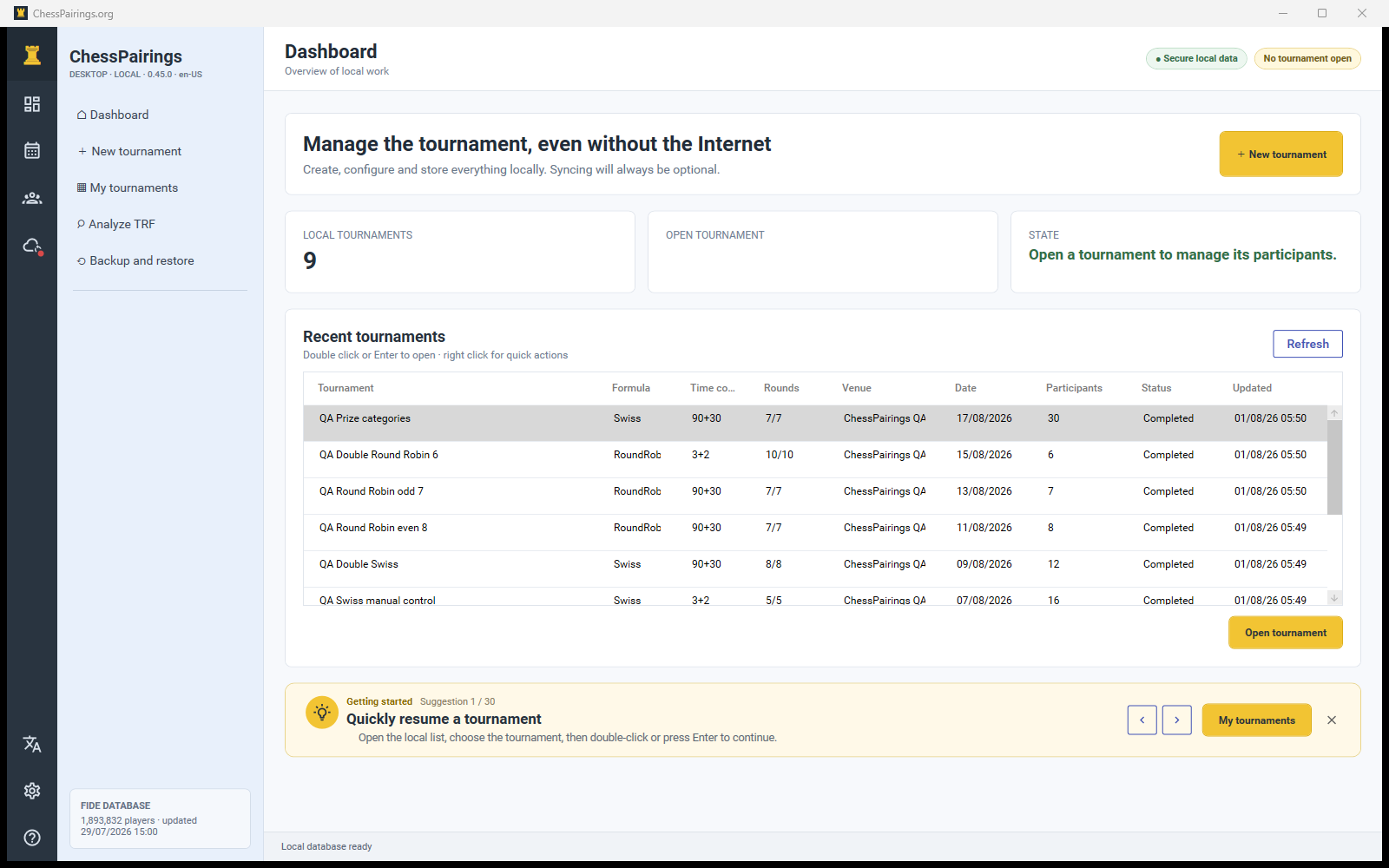
The dashboard lists recent local tournaments with formula, time control, progress, venue, date, player count, status and last update time. The summary cards show how many local tournaments exist and whether one is currently open.
Open and manage a tournament
- Double-click a tournament row or select it and choose Open tournament.
- Press Enter on a selected row to open it.
- Right-click a row for quick actions such as open, archive or clone when available.
- Archived tournaments remain in the local archive and can be reopened; archiving is not deletion.
Left navigation
The upper items are global: Dashboard, New tournament, My tournaments, Analyze TRF and Backup and restore. When a tournament is open, its workspace appears underneath with pages for participants, rounds, pairings, standings, prizes, settings, reports and synchronization.
Status indicators
The upper-right badges show that data is protected locally and display the current tournament state. The cloud icon uses a green indicator when an account is linked and a red indicator when it is not. The language icon changes the interface language without translating names or imported tournament data.
Contextual tips
The dashboard can recommend useful actions, such as downloading the FIDE archive, updating an old archive, creating a backup or completing missing results. Selecting a tip opens the relevant page.