Free tournament management · FIDE 2026 ready. Open the app →

Add and select a team
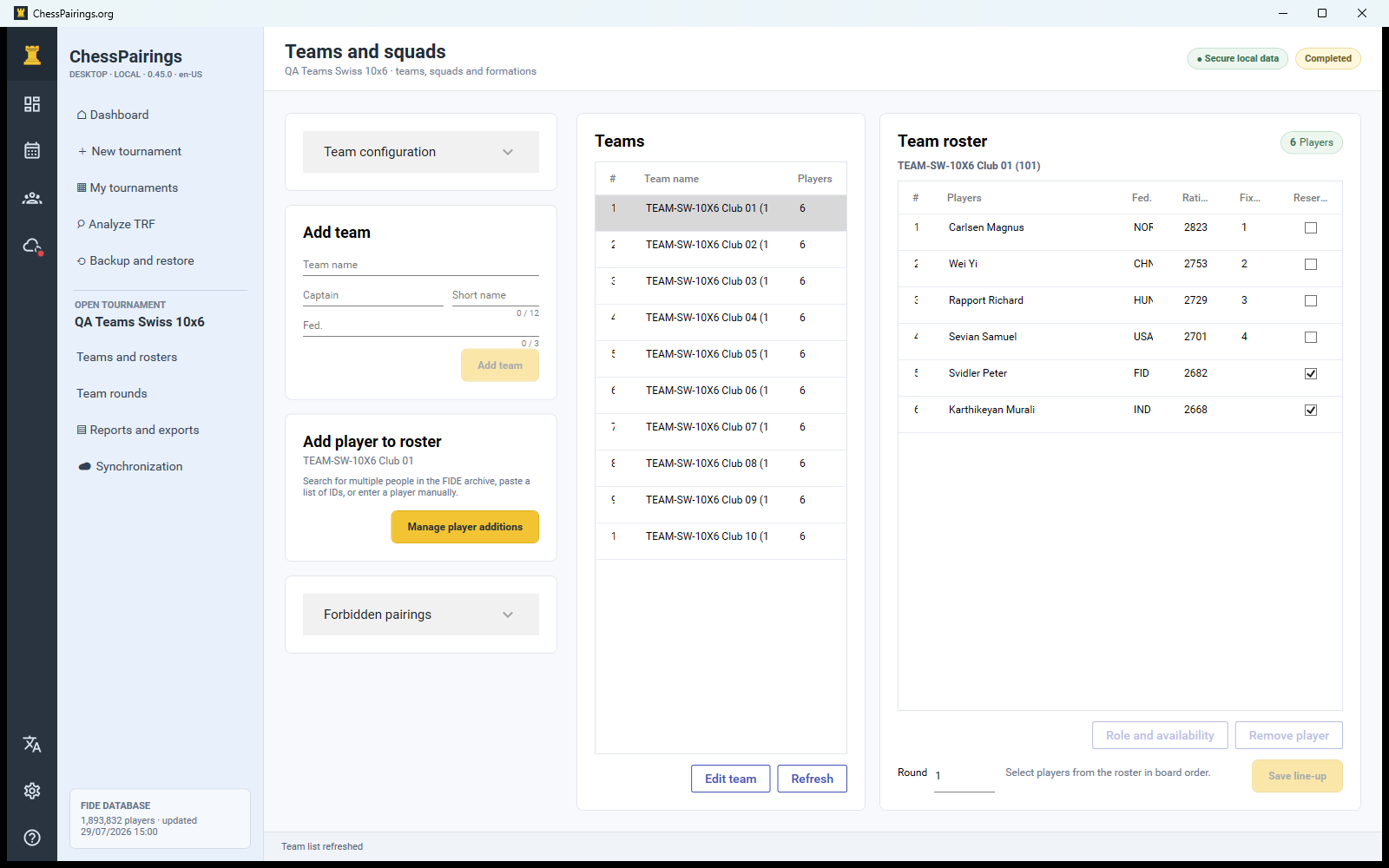
Enter the team name and optional short name, federation and captain. The team table shows rating, active state and roster summary. Select a row to display the complete roster panel for that team.
Add several players efficiently
Choose Manage player additions. The dialog uses the same three methods as individual events: FIDE search with multiple results, manual entry and pasted FIDE IDs. Add all selected players, then close the dialog and verify the roster count.
Inspect and edit the roster
The roster panel lists board order, name, FIDE ID, rating, role and availability. Double-click a player or use the edit action to change the tournament copy. Move a player within the order only when the competition regulations permit it.
Roles and reserves
Set captain, regular player or reserve roles as needed. Availability can change by round without removing the player from the roster. A removed player should be used only when no generated round or historical line-up depends on that record.
Submit the line-up
For each round choose eligible players in legal board order. The validation step rejects duplicated players, players from another team and incomplete mandatory boards. Save the line-up before confirming team pairings.