Free tournament management · FIDE 2026 ready. Open the app →

Before you begin
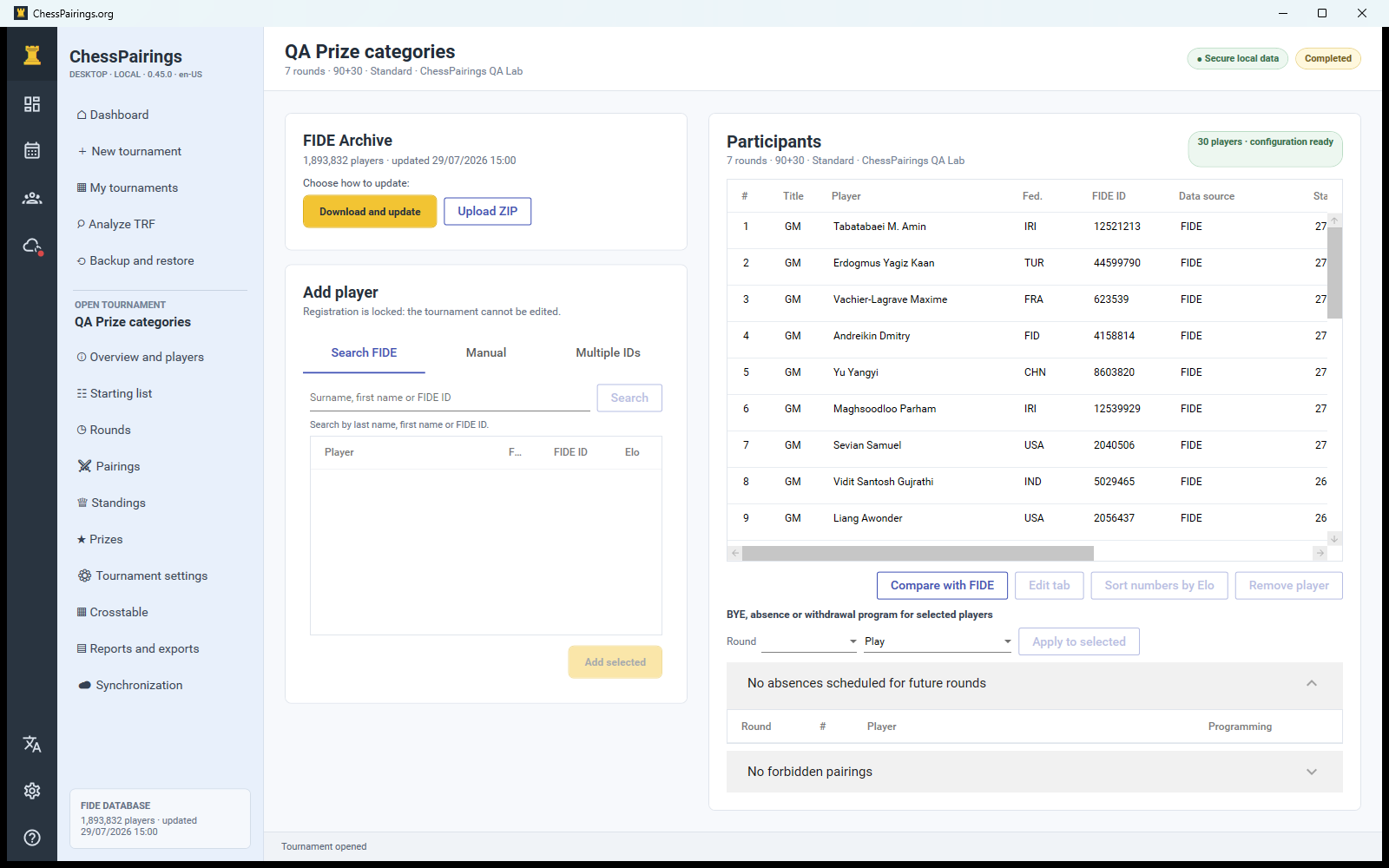
ChessPairings Desktop keeps the tournament database on your computer and can run without an Internet connection. If the event includes rated players, update the FIDE archive before the tournament. You can download the current ZIP from inside the app or import the official players_list_xml.zip file without extracting it.
The FIDE archive is read-only. Changes made to a player inside a tournament are saved only in that tournament’s local player record.
Create the tournament
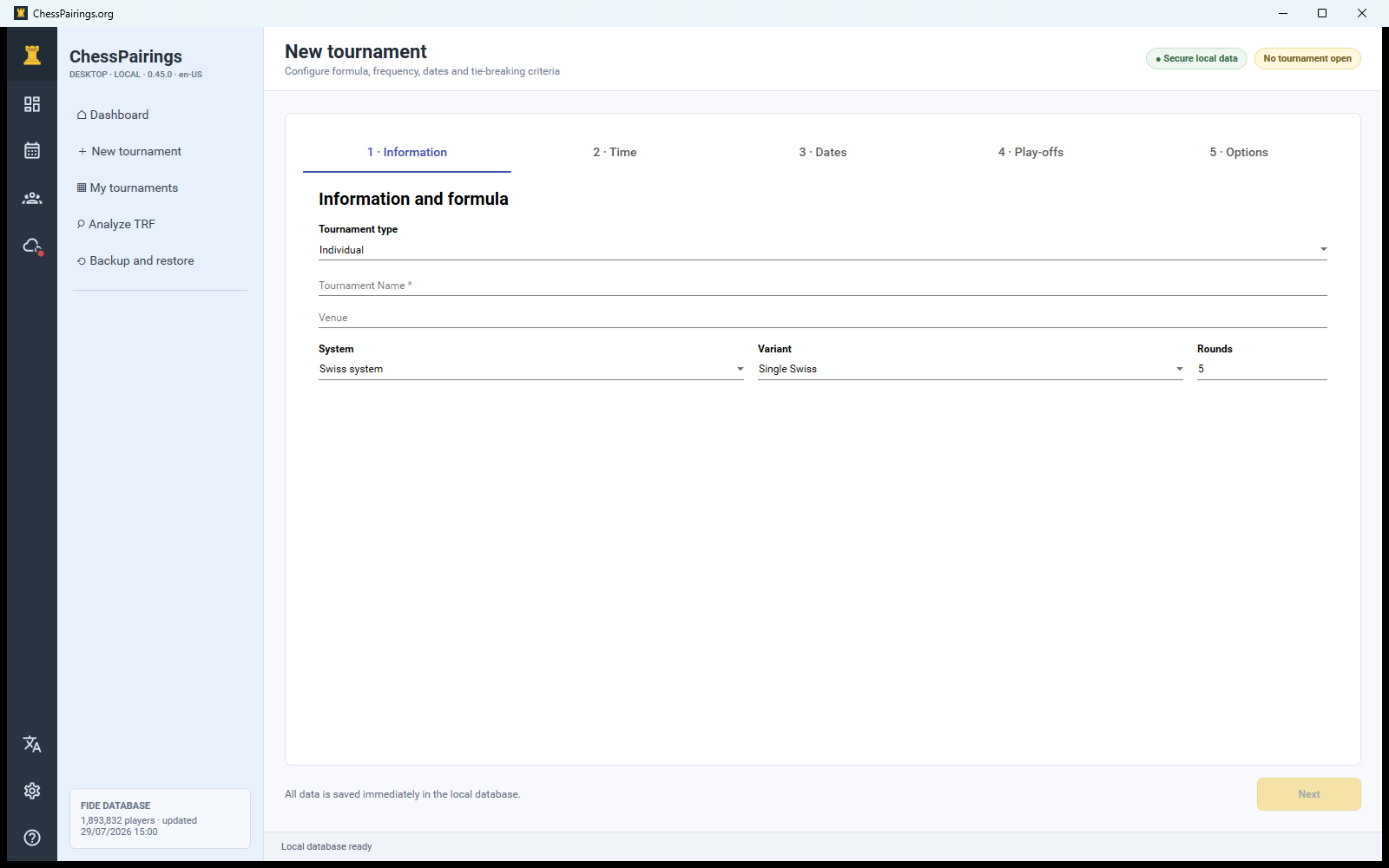
- Select New tournament from the left navigation.
- Complete the wizard in order: information, time control, dates, tiebreaks and options.
- Choose Swiss, single or double Round Robin, or a team format.
- Check the number of rounds and the scoring system before selecting Create tournament on the final step.
Add the players
Search the FIDE archive by surname, name or FIDE ID, paste several FIDE IDs on separate lines, or use the manual form for players without an ID. Select all required rows before adding them. Double-click a tournament player to edit the local tournament card.
Prepare round one
Open the starting list, verify seed numbers and resolve planned byes or absences. Then open Pairings and generate the first round. The pre-pairing checklist shows colour history, previous opponents, float information and bye eligibility before you confirm the boards.
Enter results and continue
Use the result menu on each board or the configured keyboard shortcuts. Enable Only incomplete to focus on boards without a result. When every board is complete, generate the next round automatically or open the manual pairing editor.
Finish and export
After the configured final round is complete, the tournament status changes to completed. Review standings and prizes, then open Reports and exports for PDF, HTML, CSV and TRF output. Create a backup before making any late correction to a completed event.