Free tournament management · FIDE 2026 ready. Open the app →

Configure the event
Create a Team tournament in the wizard. Set the number of boards per match, roster limits, scoring basis, rounds and pairing formula. Decide whether standings are ordered primarily by match points or game points according to the regulations.
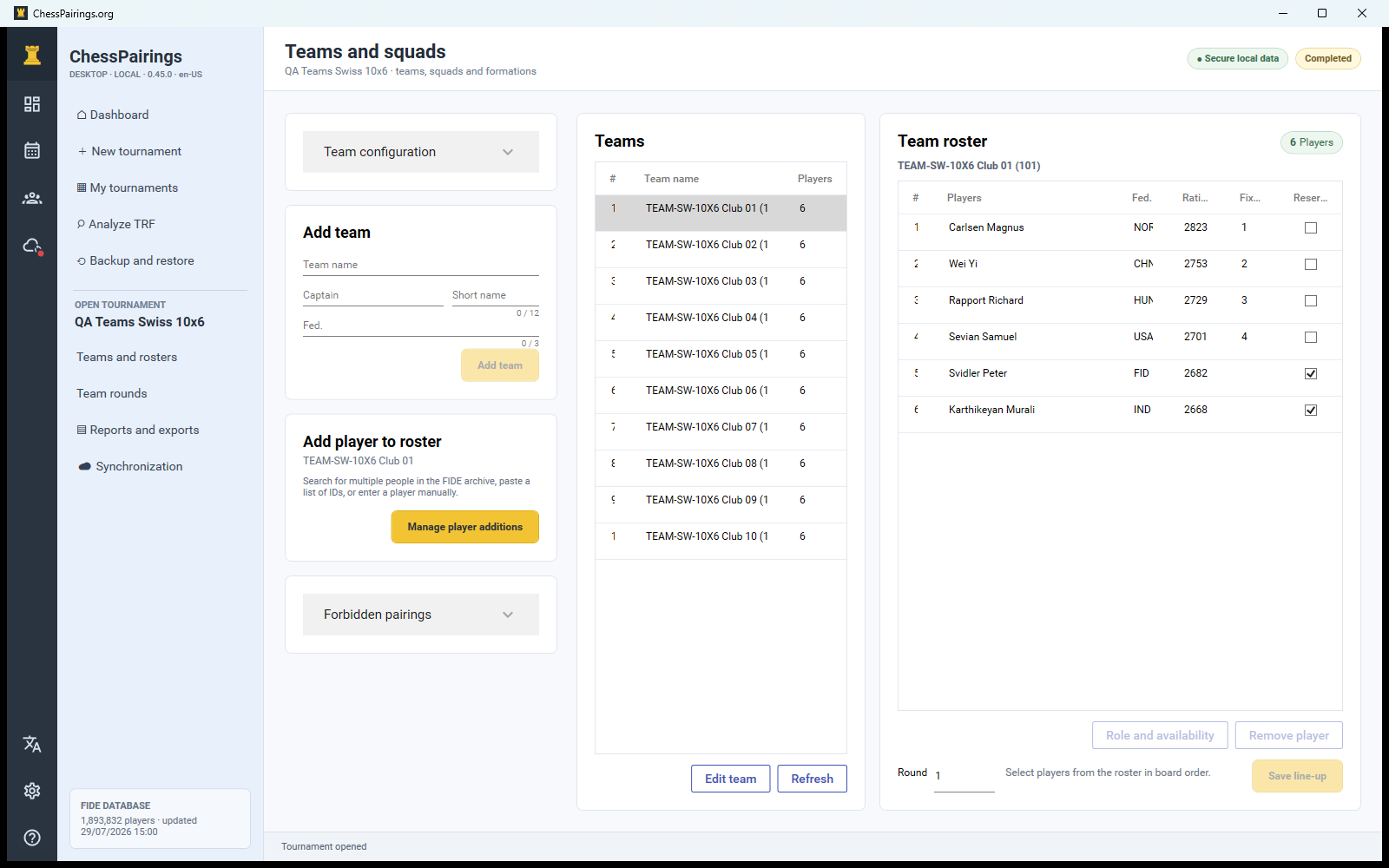
Create teams and rosters
Add every team with name, short name, federation and captain. Then select a team and open Manage player additions to search multiple FIDE players, paste IDs or enter a player manually. Review the roster count and ordered board list before moving to the next team.
Availability and line-ups
Mark unavailable players and define reserves before the round. Submit the line-up for each active team in board order. The app checks duplicates, missing boards and roster eligibility.
Pair the team round
Generate the team matches with the configured engine or open manual team pairings. Review home/away colours, team byes and forbidden pairings, then confirm. A team bye does not create ordinary board games.
Enter board and match results
Open each match, enter the result on every board and verify the calculated game points and match points. Complete all matches before generating the next round.
Finish and report
Review team standings, board standings and crosstables. Export team pairings, rosters, missing results and final reports, then create a final backup and synchronize if the event is linked online.